
How to Opt In to Text Messages
Kisses and Paws Board and Care · Last updated September 10, 2026
Kisses and Paws Board and Care sends two kinds of text messages, only to customers who ask for them: appointment confirmations and secure payment links. The only way to opt in is the optional consent checkbox in our online booking form.
Step 1: Start a booking
The customer opens our online booking form at kissesandpawsboardandcare.com/reservar (also linked from every "Book Now" button on this website) and chooses a service, a day and a time.
Step 2: Enter contact details
The customer enters their name, mobile phone number and pet details, then continues to the review screen.
Step 3: Review screen with the SMS consent checkbox
Before the booking is confirmed, the review screen shows the SMS consent checkbox. It is not pre-checked and it is optional: the customer can book without checking it. Text messages are only sent if the customer checks it.
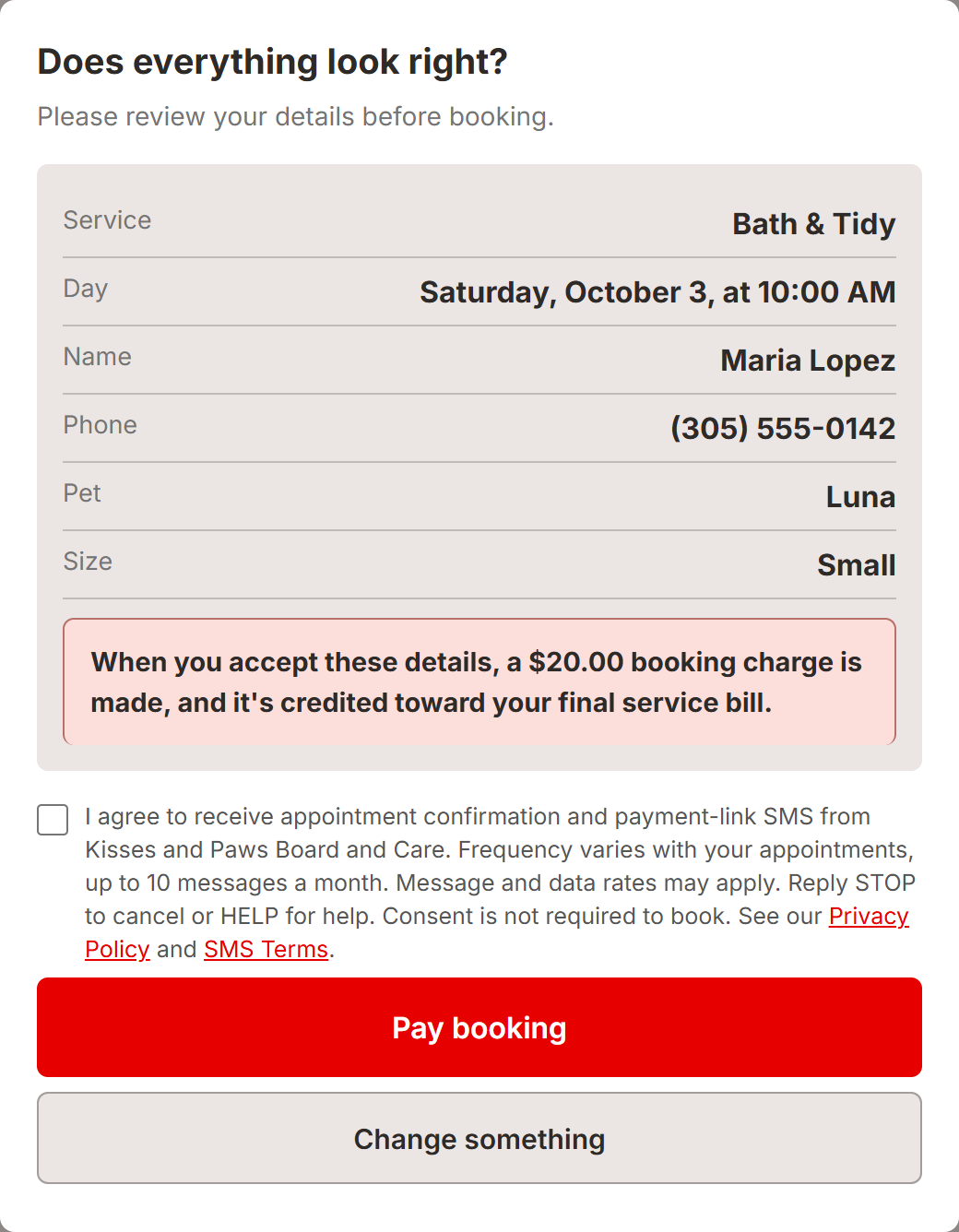
The text next to the checkbox reads:
I agree to receive appointment confirmation and payment-link SMS from Kisses and Paws Board and Care. Frequency varies with your appointments, up to 10 messages a month. Message and data rates may apply. Reply STOP to cancel or HELP for help. Consent is not required to book. See our Privacy Policy and SMS Terms.
What happens after opting in
Customers who checked the box receive a text confirming the date and time of their appointment and, when a payment is due, a text with a secure link to pay for their service. Message frequency varies, up to 10 messages per month. Message and data rates may apply. Reply STOP at any time to stop receiving messages, or HELP for help.
No mobile information will be shared with third parties or affiliates for marketing or promotional purposes. Text messaging originator opt-in data and consent will not be shared with any third parties.
See our Privacy Policy and SMS Terms and Conditions.